

Latest Version
Devin Wong
Internet
Windows
Free
9nblggh5xcq9
Report a Problem
More About WiFi Scout
An Essential Toolkit for Wireless Network Discovery
Managing your wireless environment can be challenging without the right tools. WiFi Scout network scanner is a lightweight, specialized utility designed for Windows users who need to analyze and understand the wireless signals surrounding them. Developed by Devin Wong, this application cuts through the complexity of network diagnostic tools to deliver real-time data in a clean, accessible format.
Whether you are dealing with dead zones in your home office, trying to find the least congested channel in a crowded apartment building, or simply curious about the wireless infrastructure around you, this utility provides the transparency you need to make informed adjustments.
Key Features and Technical Insights
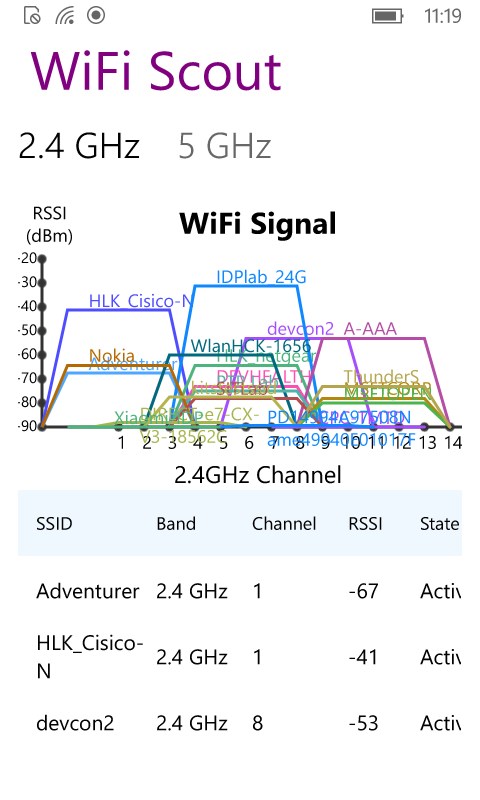
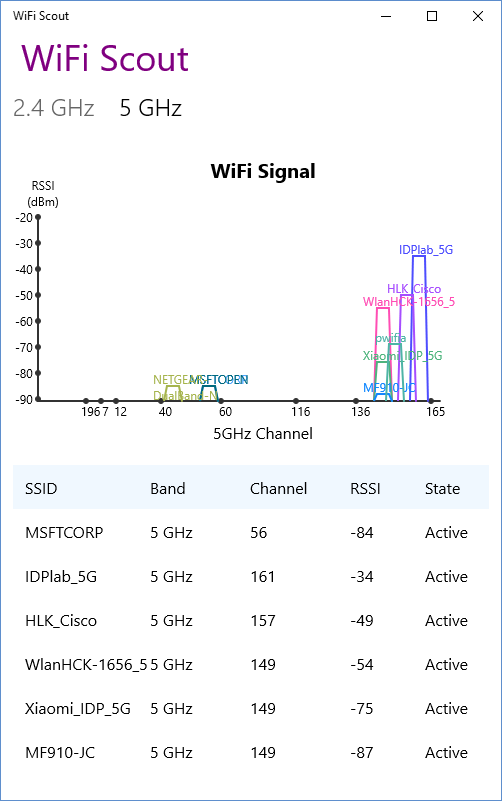
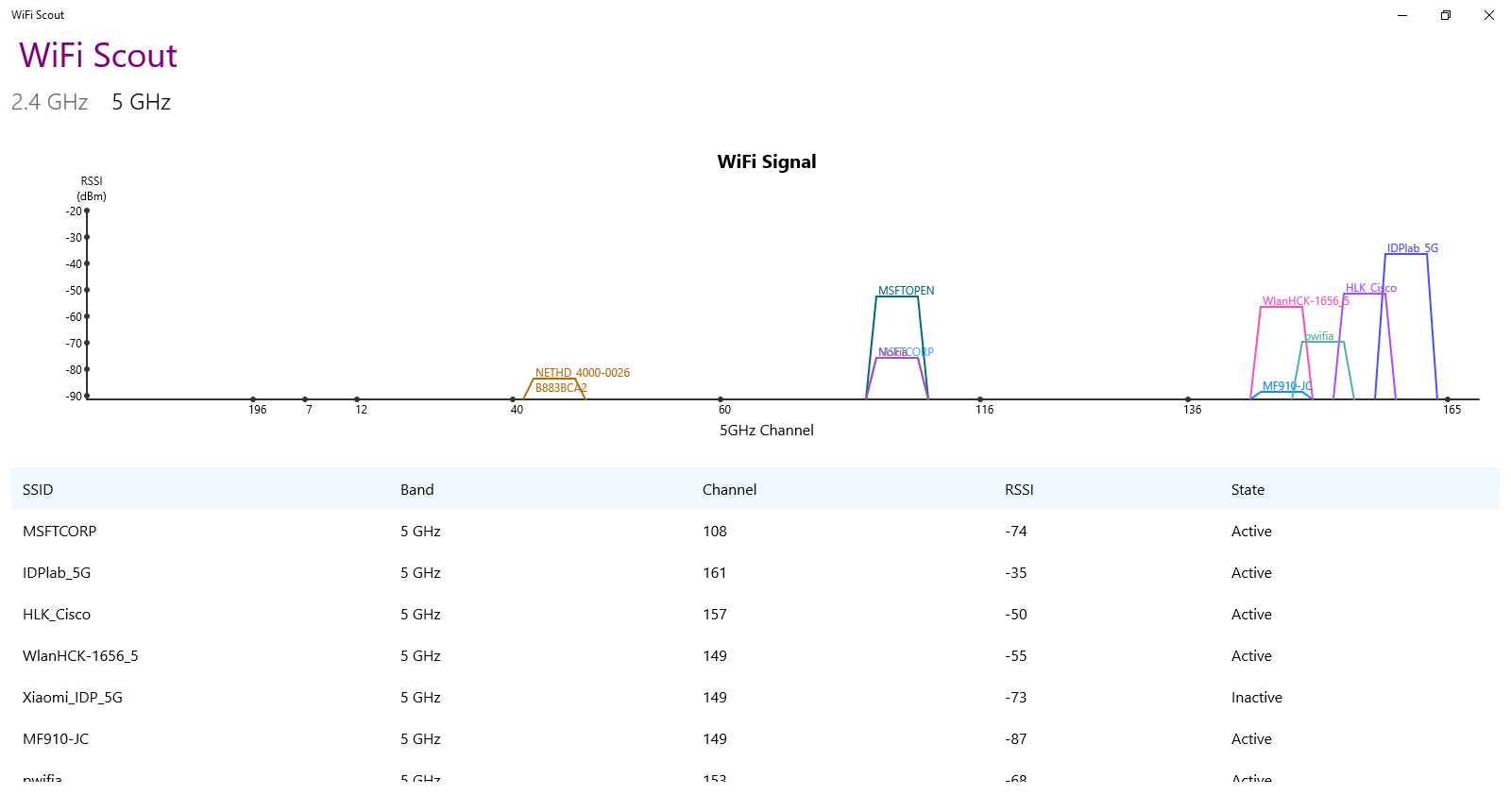
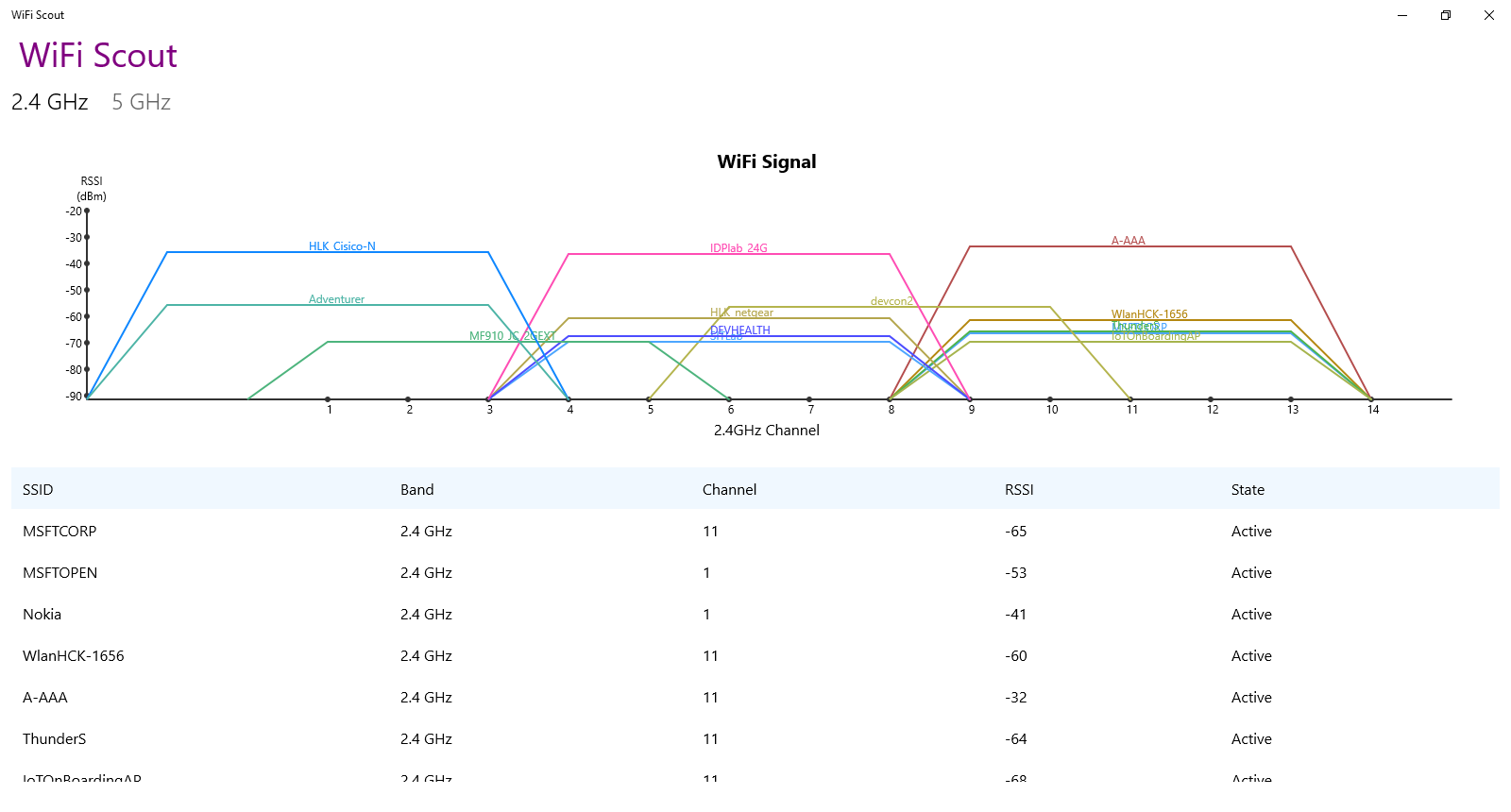
The strength of the WiFi Scout network scanner lies in its ability to extract and display detailed technical parameters from ambient signals. Instead of just showing a simple signal strength bar, the application reveals the underlying technical specifications of every network in range:
- SSID Identification: Easily view the broadcast names of all nearby wireless access points.
- Band and Channel Tracking: Identify whether networks are operating on 2.4 GHz or 5 GHz bands, and see the exact channel allocation to avoid interference.
- RSSI (Received Signal Strength Indicator): Monitor precise signal strength metrics to map out physical coverage and identify weak spots.
- PhyKind Details: Determine the physical layer wireless standard (such as 802.11n, 802.11ac, or others) being utilized by neighboring routers.
Who Is This Tool For?
This utility is exceptionally well-suited for everyday users looking to optimize their home internet setup, as well as tech enthusiasts who need quick, reliable data on local wireless congestion. Because it operates on the Windows platform, it serves as a convenient desktop companion for quick troubleshooting sessions without requiring complex command-line queries or heavy enterprise software.
Optimize Your Wireless Environment Today
By providing clear visibility into the local wireless spectrum, this application helps you take control of your connectivity. You can easily spot overlapping channels and position your router for peak performance. To explore its capabilities and improve your network awareness, head over to the official Microsoft Store to download the application for your Windows device.
Rate the App
User Reviews













Popular Apps










Editor's Choice